Blog

  • From Exchange Server Chaos to Secure Delivery

    Situation

    The company’s on premises Microsoft Exchange 2016 server had halted outbound mail for every employee. Users reported “message not sent” errors and the support desk was flooded with tickets.

    Task

    Diagnose the root cause, resolve the outage, and secure the mail flow against future threats.

    Action

    • Check Exchange health – Logged into the Exchange Management Shell and ran Get ServerComponentState. All components were in a healthy state except the Transport service. A single component failure can bring down the entire mail flow.

    • Inspect transport logs – Reviewed the QueueViewer for any stuck messages, then examined the Event Viewer (Application & System) for SMTP errors (Event ID 2025). Found multiple “SMTP authentication failures” linked to a compromised credentials file. Authentication issues often indicate credential compromise or mis configuration.

    • Isolate and patch – Stopped the Transport service, replaced the corrupted smtp.ini file with a backup from a known good server, then restarted the service. Replacing the corrupt configuration restored normal routing.

    • Apply security hardening – Enabled TLS only connections, updated the anti spam policy to block all inbound traffic on port 25 unless authenticated, and added an additional firewall rule to restrict SMTP traffic to known IP ranges. Hardening prevents future compromise attempts.

    • Validate outbound mail – Sent test emails from multiple user accounts to external domains; monitored delivery reports and ensured DKIM/SPF alignment. Confirms that the fix works end to end.

    Result

    • Outbound email service was restored within 120 minutes of first noticing the outage.

    • No spam or phishing attempts were logged during the incident, thanks to the immediate hardening steps.

    • The client now has a documented “Email Outage Playbook” that can be deployed in less than an hour.

    Key Takeaway

    When Exchange stops sending mail, look for transport service failures and credential compromises first; then secure the channel with TLS and strict firewall rules.
  • Re establishing File Sharing & Print Services

    Situation

    A mid tier retail client was unable to share files across the office network and their shared print server had stopped responding. The business was on a tight deadline for an upcoming product launch, so any downtime could cost thousands of dollars in lost productivity.

    Task

    Restore full file sharing and printing capabilities while ensuring minimal disruption to day to day operations.

    Action

    • On site diagnostics – Walked through the network topology, inspected switch port statuses, and logged into each workstation. (Immediate physical insight is often faster than a ticket log).

    • IP & DNS audit – Checked the DHCP scope for duplicate addresses, verified that the domain controller’s IP was static, and confirmed that all workstations were resolving the correct DNS suffix. (Many “file share” issues stem from mis resolved hostnames or IP conflicts).

    • Re configure DNS – Reset the DNS records for the file server (\FileSrv) and print server (\PrintSrv), then cleared the local DNS cache on all machines (ipconfig /flushdns). (Correct hostname resolution restores SMB traffic).

    • Validate permissions – Reviewed NTFS and Share permissions to ensure that the “Sales” group had read/write access, while the “Finance” group was restricted to read only. (Permission errors can masquerade as connectivity issues).

    • Test & document – Ran a series of test shares from multiple workstations, printed test pages, and recorded the outcomes in a quick “Post Fix Checklist.” (Documentation guarantees repeatability for future incidents).

    Result

    • All file sharing requests returned within milliseconds.

    • The shared printer serviced all 35 office users with zero print queue errors.

    • A post incident review highlighted that the root cause was an accidental DNS record overwrite during a recent OS patch on the domain controller.

    Key Takeaway

    In many network hiccups, the first place to look is DNS and IP configuration, simple changes can restore full service in minutes.

  • AI for Small Business – Practical Applications You Can Implement Today

    AI for small business

    Introduction

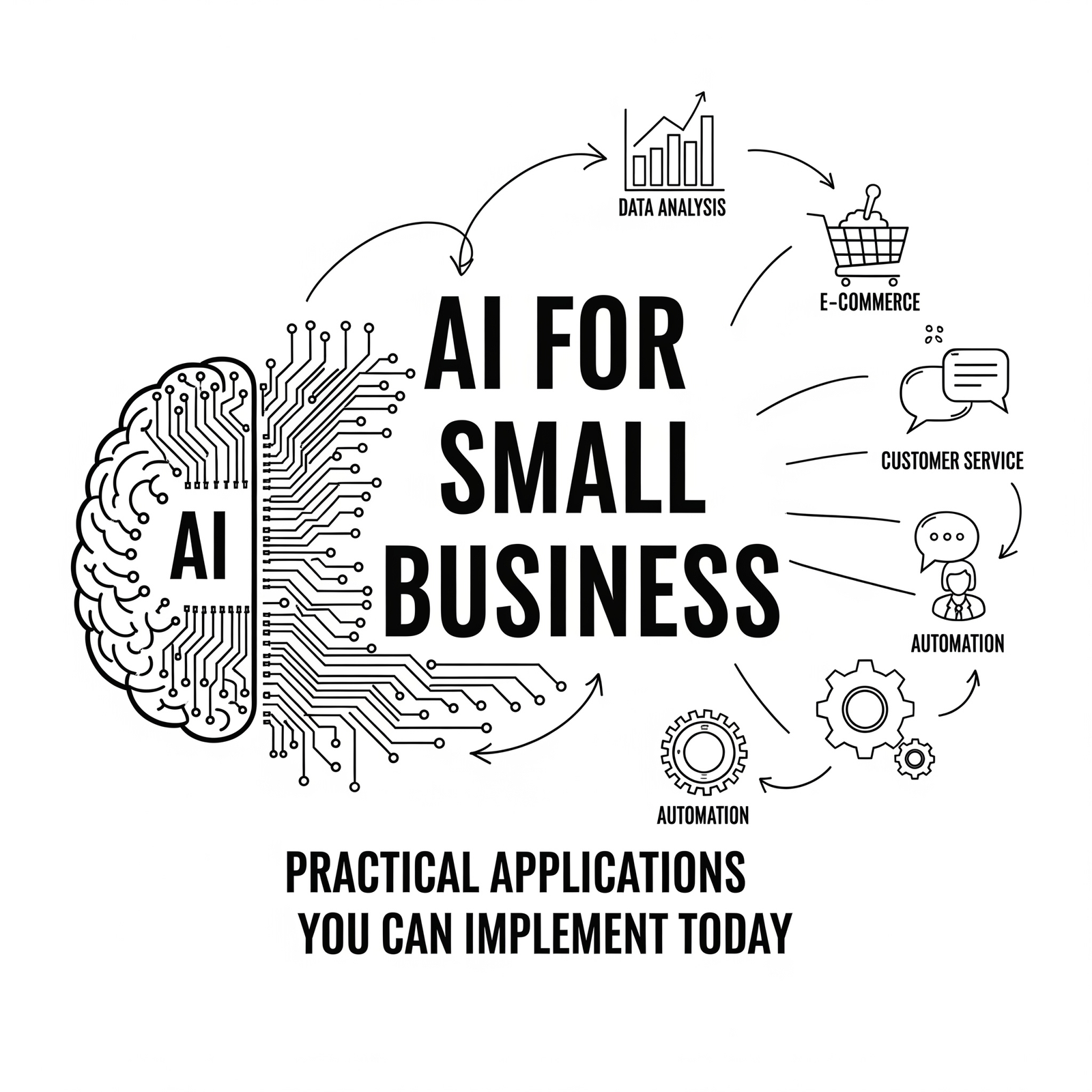
    Artificial intelligence (AI) is no longer the exclusive domain of tech giants. Small and medium-sized businesses across various industries are leveraging AI to gain competitive advantages, improve operational efficiency, and enhance customer experiences—all with accessible technologies that don’t require extensive technical expertise or large budgets.

    Why AI Matters for SMEs

    In a competitive landscape where every advantage counts, AI offers small businesses:

    • The ability to compete against larger organizations

    • Tools to automate repetitive tasks and free up staff for higher-value work

    • Data-driven insights previously only available through expensive analytics teams

    Practical AI Applications for Small Businesses

    1. Customer Service & Support

      • Chatbots for 24/7 customer service (e.g., handling FAQs, appointment scheduling)

      • Sentiment analysis for social media and review platforms

      • AI-powered help desks that route queries to appropriate staff

    2. Marketing & Sales Optimization

      • Predictive lead scoring to prioritize sales efforts

      • Personalized email marketing campaigns based on customer behavior

      • Dynamic pricing algorithms for e-commerce businesses

      • AI-generated content for social media and blogs (with human oversight)

    3. Operations Efficiency

      • AI-powered scheduling systems that optimize employee time based on availability, skills, and demand patterns

      • Predictive maintenance for equipment-intensive businesses

      • Route optimization for delivery or service businesses

    4. Financial Management

      • Expense categorization and fraud detection in accounting software

      • AI-driven forecasting tools for cash flow management

      • Automated invoice processing and payment reminders

    5. Inventory & Supply Chain Management

      • Demand forecasting to optimize stock levels

      • Supplier risk assessment based on historical performance data

      • Computer vision for automated inventory counting

    6. Cybersecurity Enhancements

      • AI-powered threat detection that learns from your environment

      • Phishing detection in email systems

      • Automated security patch management

    How to Identify AI Opportunities in Your Business

    1. Look for repetitive tasks:

      • What manual processes could be automated?

      • Where are there bottlenecks causing delays?

    2. Examine data collection points:

      • What customer or operational data do you already have?

      • How might this data create value when analyzed?

    3. Consider pain points:

      • Where is your business underperforming compared to competitors?

      • Are there specific challenges where AI solutions exist?

    4. Start small:

      • Begin with a single use case that has clear ROI

      • Use existing platforms with embedded AI (many SaaS applications now include AI features)

    Affordable Entry Points for AI Implementation

    1. AI-Powered SaaS Solutions Many cloud-based business applications now incorporate AI capabilities without requiring specialized knowledge:

      • CRM systems with predictive lead scoring

      • Email marketing platforms that optimize send times

      • Project management tools with workload prediction

    2. API-Driven AI Services Cloud providers offer accessible AI services through APIs:

      • Computer vision for image analysis

      • Natural language processing for text analytics

      • Prediction algorithms for forecasting

    3. Low-Code/No-Code Platforms Tools that allow business users to implement basic AI solutions without coding:

      • Drag-and-drop interfaces for workflow automation

      • Pre-built models for common use cases (e.g., customer segmentation)

    Real-World Example

    A small marketing agency implemented an AI-powered chatbot on their website, which now handles:

    • Basic client inquiries about services and pricing

    • Initial consultation scheduling

    • Frequently asked questions about project timelines

    The chatbot handles 60% of initial inquiries without human intervention, allowing the team to focus on more complex client needs. The agency estimates they’ve saved over $30,000 annually in staff time while improving response times for potential clients.

    Getting Started with AI

    1. Educate yourself about basic AI concepts

    2. Audit your current tech stack for embedded AI capabilities you might be underutilizing

    3. Start with one pilot project (choose a low-risk application)

    4. Measure results and scale successful implementations

    Conclusion

    AI isn’t just for large corporations—small businesses can gain significant competitive advantages by strategically implementing AI solutions that address specific business needs.

  • Leading Change During Digital Transformation

    Situation

    In 2023, Nine Auras IT announced a strategic pivot from on site support to managed services for mid tier enterprises. The transition required rapid re architecting of service delivery models while maintaining client satisfaction.

    Task

    I was tasked with orchestrating the migration, ensuring that our existing clients continued to receive uninterrupted service and that new MSP processes were fully operational within 90 days.

    Action

    • Stakeholder Alignment – Convened cross functional workshops (sales, support, finance) to map out transition timelines, resource requirements, and risk mitigation plans.

    • Process Re engineering – Defined a new SLA model (Tier A: 99.9 % uptime, Tier B: 99.5 %) and redesigned the ticketing workflow to include proactive monitoring alerts.

    • Tool Integration – Integrated Azure Monitor and ServiceNow ITSM with existing infrastructure; set up automated alert to ticket pipelines.

    • Change Management & Training – Rolled out a “Digital Transformation Playbook” for staff, conducted role specific training, and established a “Go Live Support Team” to handle any post migration incidents.

    Result

    • Transition completed in 78 days, ahead of the 90 day target.

    • Client churn fell below 1 %, while new MSP contracts grew by 22 % within the first quarter post launch.

    • The initiative was highly appreciated by the board of directors.

    Key Takeaway

    Successful digital transformation hinges on clear communication, robust process design, and empowering teams to adapt quickly, principles that should be applied in every MSP engagement.

  • Mentoring the Next Generation of IT Professionals

    Overview

    During my tenure in my previous role as Store/IT Manager, I observed a skill gap among junior technicians and among the work place students: many could troubleshoot hardware but lacked depth in network security and cloud architecture. This created bottlenecks for higher value client projects. I aimed to create a mentorship framework that would upskill the team, reduce knowledge silos, and accelerate project delivery times.

    Action

    • Mentorship Program Design – Established a 6 week rotation where junior staff paired with senior engineers on live client incidents.

    • Curriculum Development – Crafted modules covering Windows Server administration, Azure fundamentals, firewall rule sets, and incident response playbooks.

    • Hands On Labs – Set up virtual labs (Hyper V + VMs) to let trainees experiment with network segmentation and vulnerability scanning.

    • Performance Metrics – Introduced a “Skill Score” system that tracked knowledge acquisition and applied proficiency; used it for quarterly performance reviews.

    Outcome

    • Average incident resolution time dropped by 35 % as juniors became more autonomous.

    • 80 % of the cohort progressed to senior roles in various companies.

    • The program received internal recognition and was adopted by the company.

    Key Takeaway

    Investing in people is the most sustainable way to build an MSP that can handle diverse client needs with agility and expertise.

  • Cloud Migration – Why SMEs Are Moving to the Cloud

    Cloud Migration

    Introduction

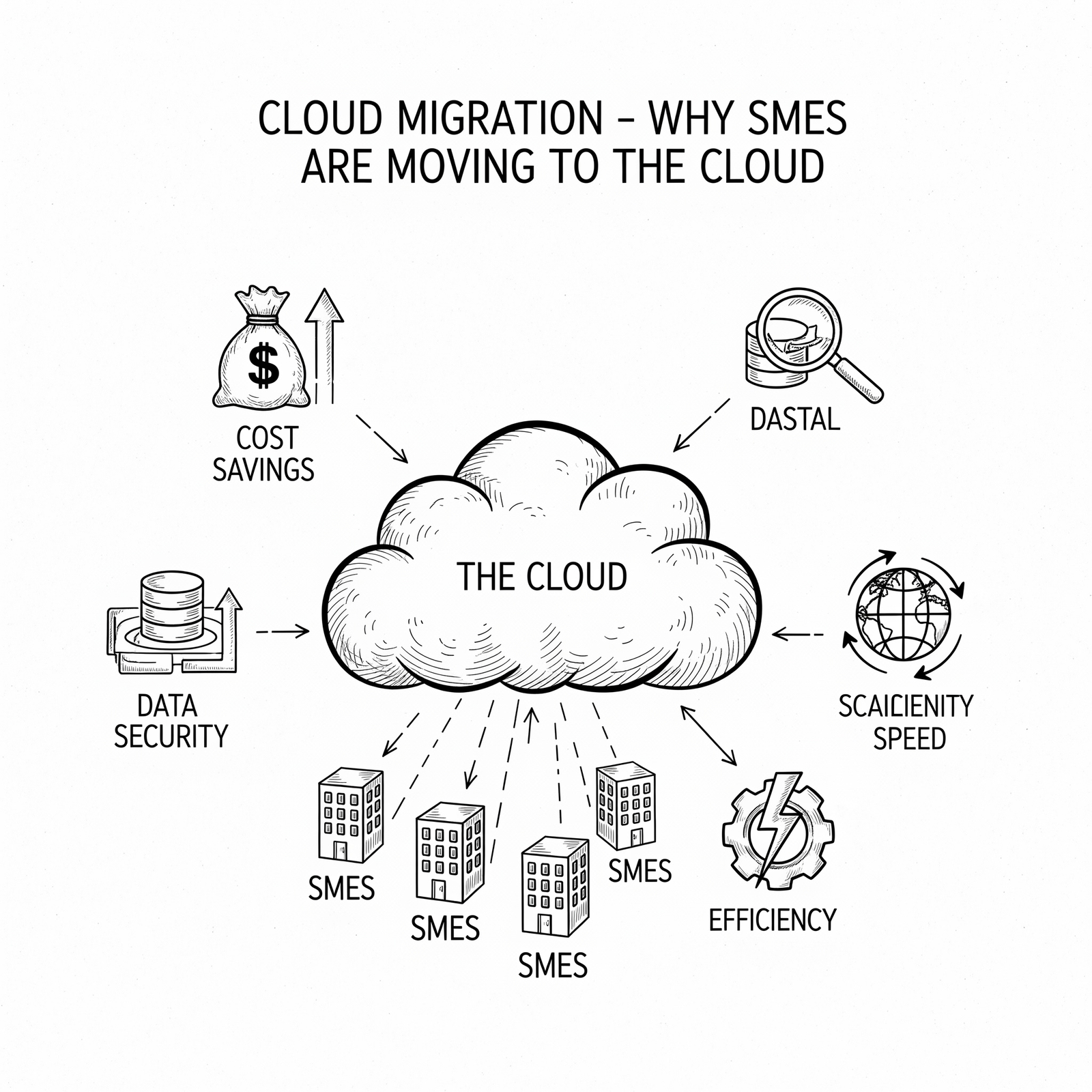
    Cloud computing has evolved from an emerging technology to a mainstream business solution, offering small and medium-sized enterprises (SMEs) capabilities that were previously only available to large corporations with substantial IT budgets. In 2023, cloud migration is no longer just about cost savings—it’s about enabling agility, innovation, and competitive advantage.

    The Benefits of Cloud for SMEs

    1. Cost Efficiency

      • Pay-as-you-go pricing models eliminate upfront capital expenses

      • Reduced need for on-premise hardware maintenance

      • Automatic software updates included in subscription fees

    2. Scalability

      • Easily scale resources up or down based on demand

      • Quickly provision new users or services during growth periods

      • Access to enterprise-grade infrastructure without large investments

    3. Business Continuity & Disaster Recovery

      • Built-in redundancy and failover capabilities

      • Automated backup solutions with geographically distributed storage

      • Faster recovery times compared to traditional systems

    4. Security Advantages

      • Enterprise-grade security managed by cloud providers

      • Regular security patching and compliance maintenance

      • Advanced threat protection technologies available at lower cost points

    5. Remote Work Enablement

      • Secure access to business applications from anywhere

      • Collaboration tools that facilitate distributed teams

      • Consistent user experience across devices and locations

    Common Concerns & How to Address Them

    1. Data Security & Compliance

      • Choose providers with appropriate certifications (SOC 2, ISO 27001)

      • Implement strong access controls and encryption

      • Work with consultants who understand your industry regulations

    2. Migration Complexity

      • Start with non-critical workloads to learn the process

      • Use tools designed for cloud migration (lift-and-shift approaches)

      • Engage experienced professionals for complex applications

    3. Vendor Lock-in Risks

      • Design solutions using open standards where possible

      • Consider multi-cloud strategies for critical applications

      • Document architecture in a vendor-agnostic format

    4. Internet Dependency

      • Implement redundancy for internet connections

      • Consider hybrid cloud solutions for mission-critical functions

      • Monitor network performance proactively

    Practical Steps for Your Cloud Journey

    1. Assess Current IT Environment

      • Inventory all current applications and systems

      • Identify which applications are suitable for the cloud

      • Evaluate current hardware refresh cycles vs. cloud alternatives

    2. Define Business Objectives

      • What problems does cloud solve for your business?

      • Are you looking to reduce costs, improve scalability, or enable new features?

      • How will you measure success?

    3. Choose the Right Cloud Model

      • Infrastructure as a Service (IaaS): For businesses wanting more control

      • Platform as a Service (PaaS): Ideal for application development

      • Software as a Service (SaaS): Best for specific business functions like email, CRM

    4. Select Appropriate Solutions

      • For productivity: Microsoft 365 or Google Workspace

      • For infrastructure: Azure, AWS, or Google Cloud Platform

      • For specialized applications: Industry-specific SaaS solutions

    5. Develop Migration Plan

      • Prioritize low-risk applications first (e.g., development environments)

      • Create backup and rollback plans for each migration phase

      • Train staff on new systems before full deployment

      • Establish performance benchmarks to measure against after migration

    Real-World Success Story

    A local retail business struggling with outdated POS systems and inventory management challenges implemented a cloud-based ERP solution. By migrating to the cloud, they:

    • Reduced their IT support costs by 40%

    • Enabled real-time inventory tracking across multiple locations

    • Gained mobile access for managers and staff

    • Improved cash flow through predictable monthly expenses

    Conclusion

    The benefits of cloud computing for SMEs are substantial—from cost savings to enhanced security and flexibility. However, successful migration requires careful planning and execution.

  • Driving Revenue Through Technical Leadership

    Situation

    While managing the Client’s store, we faced declining foot traffic and stagnant upsell revenue. The store’s IT infrastructure was underutilised, and staff lacked confidence in leveraging technology to close sales.

    Task

    I had to revamp the store’s tech stack, train staff on digital tools, and embed a data driven culture that would boost both customer experience and profitability.

    Action

    • Infrastructure Refresh – Deployed Windows Server 2022 for POS integration, set up Azure AD for single sign on, and migrated point of sale data to a secure cloud repository.

    • Staff Training Program – Conducted weekly “Tech For Sales” workshops covering product catalog dashboards, customer analytics, and upsell scripts.

    • Data Analytics Dashboard – Built excel reports that visualised daily sales per product category, inventory turnover, and customer footfall patterns.

    • Process Optimisation – Introduced a “Tech Enabled Upsell” SOP that prompted staff to recommend complementary items during checkout.

    Outcome

    • Store revenue increased by 28 % YoY within 12 months.

    • Inventory shrinkage dropped from 5.6 % → 2.3 % due to better demand forecasting.

    • Staff satisfaction scores improved.

    Key Takeaway

    Technical leadership is not just about fixing hardware; it’s about aligning IT with business goals to unlock new revenue streams.

  • Turning Ticketing Chaos into Predictable Success

    Situation

    At Nine Auras IT, one of our client’s growing client base was drowning in unstructured ticket logs. SLAs were missed, and the support team felt overworked, leading to high turnover risk.

    Task

    I needed to overhaul the ticket management process so that every request could be tracked, prioritized, and resolved within SLA while giving the team visibility into workload trends.

    Action

    • Tool Selection & Customisation – Migrated from a legacy helpdesk to ServiceNow, customising fields for “Client Tier”, “Criticality”, and “Root Cause”.

    • Workflow Automation – Built automated escalation rules (e.g., tickets > 4 hrs → senior engineer) and auto resolution scripts for common issues (Wi Fi connectivity, printer spooler).

    • Knowledge Base Development – Authored 120+ articles; integrated AI powered search to surface solutions before ticket creation.

    • Performance Dashboards – Created real time dashboards showing queue depth, resolution time, and agent utilization; shared weekly with the team.

    Result

    • SLA compliance rose from 82 % → 97 % in three months.

    • Ticket backlog reduced by 60 %, freeing agents to focus on higher value projects.

    • Team engagement scores improved (survey: +15 %) and the support desk was cited as an excellence in their client satisfaction survey.

    Key Takeaway

    Structured processes, combined with automation, transform human effort into predictable, repeatable outcomes, exactly what MSPs need to scale service delivery.

  • The IT Roadmap Every Growing Business Needs

    IT Roadmap

    Introduction

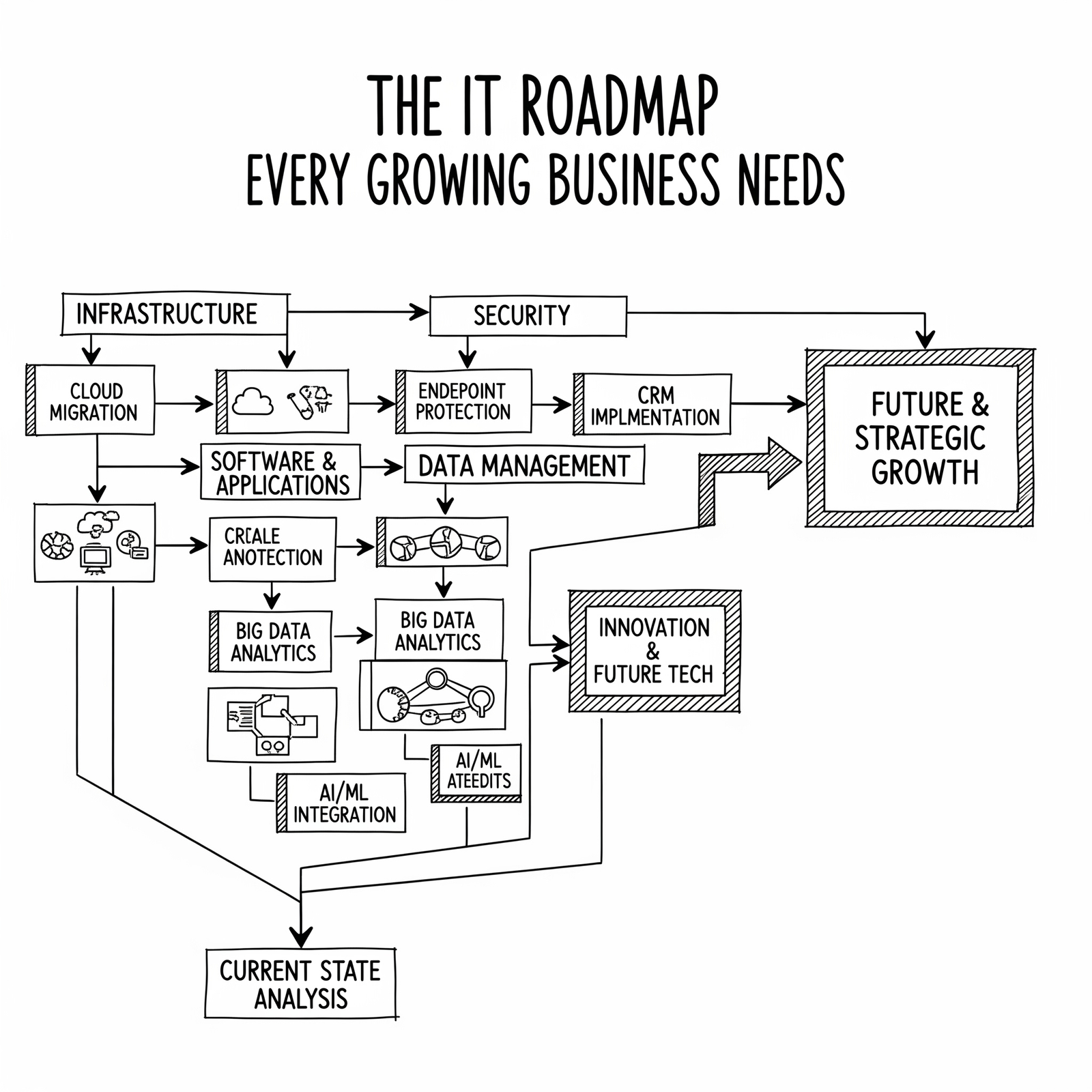
    As small and medium-sized businesses grow, their technology needs become increasingly complex. Without a clear IT strategy, organizations may find themselves reacting to technical issues rather than leveraging technology as a competitive advantage. An IT roadmap provides the structure needed to align technology investments with business objectives.

    What is an IT Roadmap?

    An IT roadmap is a strategic document that outlines your technology priorities over time.

    It serves as:

    • A communication tool for stakeholders

    • A planning guide for implementation

    • A measurement framework for success

    For SMEs, this might include:

    • Current state assessment

    • Short-term fixes (next 0-6 months)

    • Mid-term projects (6-18 months)

    • Long-term vision (18+ months)

    Why is it Crucial for SMEs?

    Many small business owners focus on immediate operational concerns while leaving technology strategy as an afterthought. However, this approach can lead to:

    • Inefficient use of resources

    • Disrupted operations during unplanned upgrades

    • Difficulty scaling with growth

    • Security vulnerabilities

    A well-planned IT roadmap helps you:

    • Anticipate and plan for upcoming needs rather than reacting to crises

    • Allocate budgets more effectively across multiple initiatives

    • Ensure technology investments align with business goals

    • Manage risks associated with technological change

    How to Create Your IT Roadmap

    1. Assess Current State

      • Inventory all existing hardware, software, and licenses

      • Identify pain points and bottlenecks in current operations

      • Evaluate security posture and compliance needs

    2. Define Business Objectives

      • What are your 3-year business goals?

      • How will technology help you achieve these?

      • Are there specific KPIs tied to technology improvements?

    3. Prioritize Initiatives

      • Quick wins (immediate fixes that provide value)

      • Foundation projects (necessary infrastructure upgrades)

      • Transformation initiatives (long-term strategic projects)

    4. Develop Timeline and Budget

      • Map out implementation phases

      • Estimate costs for each phase

      • Identify dependencies between projects

    5. Plan for Continuous Review

      • Schedule regular reviews to assess progress

      • Build in flexibility for changing business needs

      • Document lessons learned from implementations

    Where to Start?

    For SMEs with limited internal IT resources, we recommend:

    • Conducting an initial technology assessment with a trusted advisor

    • Focusing on immediate pain points while planning for future growth

    • Investing in scalable solutions that can grow with your business

    • Creating a culture of continuous improvement around technology usage

    Conclusion

    An effective IT roadmap isn’t just about technology—it’s about aligning your technology investments with your business strategy to drive growth and efficiency. For small businesses, this means focusing on immediate needs while planning for future scalability.

    At 9 Auras Tech, we specialize in helping SMEs develop practical IT strategies that balance immediate requirements with long-term goals. Let us help you create a roadmap that supports your business success.

  • From On Site Support to Enterprise Wide Security

    Our retail clients were grappling with fragmented security practices: ad hoc firewalls, no patch policy, and a reactive incident response culture. The result was frequent breaches that cost clients time, money, and brand trust.

    Task

    My mandate was to design and implement a unified, enterprise grade security framework that would be scalable across all client environments while still allowing rapid deployment for small businesses.

    Action

    • Assessment & Gap Analysis – Conducted 30+ on site audits of client infrastructures (Windows Server, Azure, Hyper V, network switches). Identified critical weaknesses in patch management, privileged access, and backup procedures.

    • Essential 8 Roll out – Spearheaded the deployment of Microsoft’s Essential 8 controls across 12 mid tier clients within six months, automating remediation with PowerShell scripts and Azure Automation.

    • Training & Governance – Delivered a two day “Cyber Resilience for Business Owners” workshop, creating SOPs that reduced incident response time by 40 %.

    • Metrics & Reporting – Implemented a KPI dashboard (Power BI) to track vulnerability scores and patch compliance; presented quarterly reports to C suite stakeholders.

    Outcome

    • Achieved 100 % Essential 8 compliance for all clients before the end of Q3 2015.

    • Reduced security incidents by 70 % year over year.

    Key Takeaway

    A structured, data driven approach turns reactive support into proactive protection – a mindset that I bring to every MSP engagement.